Back in October of 2012, I had tested the Motorola Lapdock with the original 256MB Raspberry Pi. Recently I was able to get my hands on a Raspberry Pi 2 and decided to see if it worked any better. It pretty much works the same in that if the Lapdock doesn’t detect it, it goes to sleep and it won’t try again until it turns itself off. So the only way to get past the point in boot where the display signal is lost for a second, is to power the Pi up from another power source with the HDMI connected. You must wait for it to fully boot. Then disconnect the HDMI, wait for the Lapdock to turn off, and then plug it all back in and power it up. It’s quite the sequence just to get it to work.
This time around I had a hard time with audio. Last time it was a struggle too, but at least it worked. I didn’t spend a lot of time on it, but only the way I could get it to work was by loading the Python games app and selecting force headphones. Then you can use the web or anything else but this is using headphones instead of the built in audio. A lot has changed in software since the 256MB version so this needs more investigating.
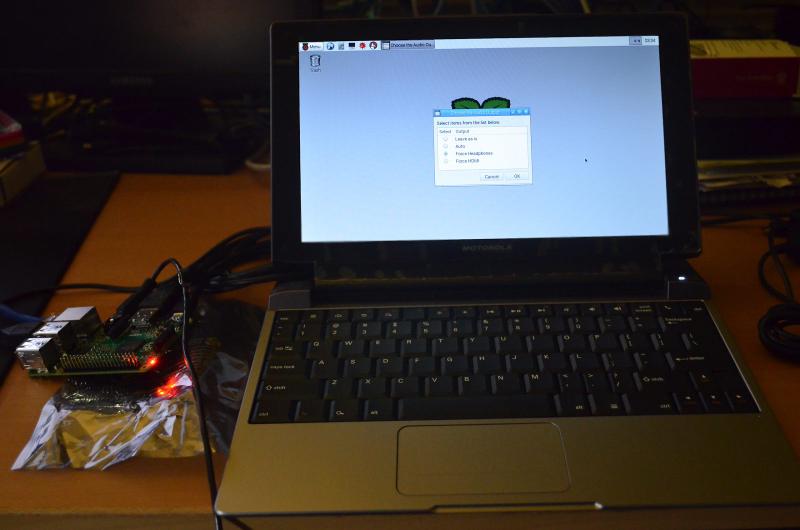
This is unfortunate since the Raspberry Pi 2 and all of its power would make a great travel companion with the Lapdock. What really needs to be done is a way to fake an HDMI signal at all times in any case it would work much smoother. Maybe if the Lapdock can be hacked to always stay awake or a longer detection timeout. At this point it will be at the bottom of the project list.