Over a month ago I decided to give Cosm.com a try instead of using my own MySQL database and graphing in Python. Since this was awhile ago I don’t remember everything I did to get it working but I will post the code and libraries I am using that work.
Here is a simple library to making sending to Cosm easy.
http://www.netfluvia.org/layer8/?p=175
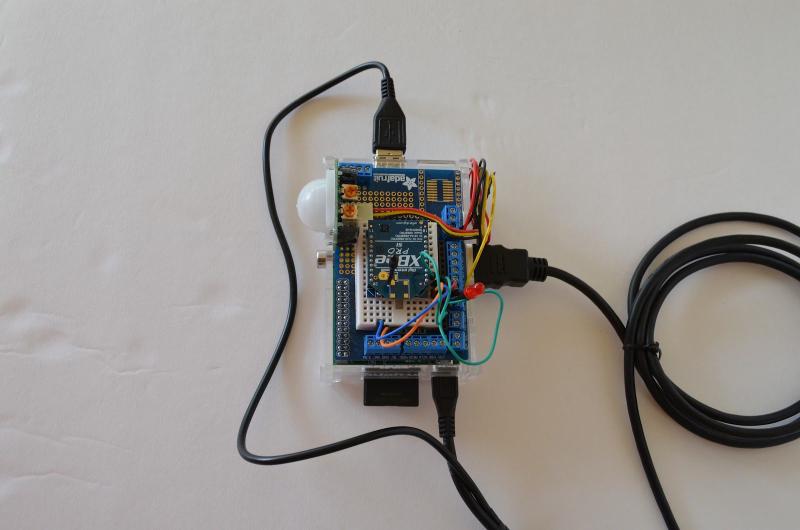
Here is the full code I am using to log the PIR sensor to Cosm, after the jump.
#!/usr/bin/python
#PIR LOGGING TO COSM
import RPi.GPIO as GPIO
import sys
import time
import datetime
from datetime import timedelta
import cosm
API_KEY=“API_KEY”
FEED_ID=“FEED_ID”
def writeCosm(status):
pfu = cosm.PachubeFeedUpdate(FEED_ID,API_KEY)
pfu.addDatapoint(“Pi”,status)
pfu.buildUpdate()
pfu.sendUpdate()
print “Uploaded Motion data to Cosm”
return
ledPin = 17
pirPin = 18
motionCount = 0
timerMin = 1 #Number of minutes between database writes
GPIO.setmode(GPIO.BCM)
GPIO.setup(ledPin, GPIO.OUT)
GPIO.setup(pirPin, GPIO.IN)
loop = 1
while loop == 1 :
GPIO.output(ledPin, GPIO.HIGH)
time.sleep(.5)
GPIO.output(ledPin, GPIO.LOW)
startTimer = datetime.datetime.utcnow()
#startTimer2 = startTimer
while datetime.datetime.utcnow() < startTimer+timedelta(minutes=timerMin) :
#if datetime.datetime.utcnow() >= startTimer2+timedelta(milliseconds=600) :
motionCount+=GPIO.input(pirPin)
time.sleep(.60)
#startTimer2 = datetime.datetime.utcnow()
#motionCount = ((motionCount/500)*100)
writeCosm(motionCount)
motionCount = 0
print “Done”
This should be a good example to get you started. There are other libraries but this seemed the simplest to use and most straightforward. I am not sure if this is what I will stick with but it works for now. Using the same example, I am also logging my Smart Outlet temperature and light sensors to Cosm via an Xbee connected to the UART. I find that the temperature is not accurate at all, even with averaging the ADC. I’ll have to figure it out on another day.
Comment below if you are using Cosm for your project, I would like to hear about it!